
Loading...
Loading...

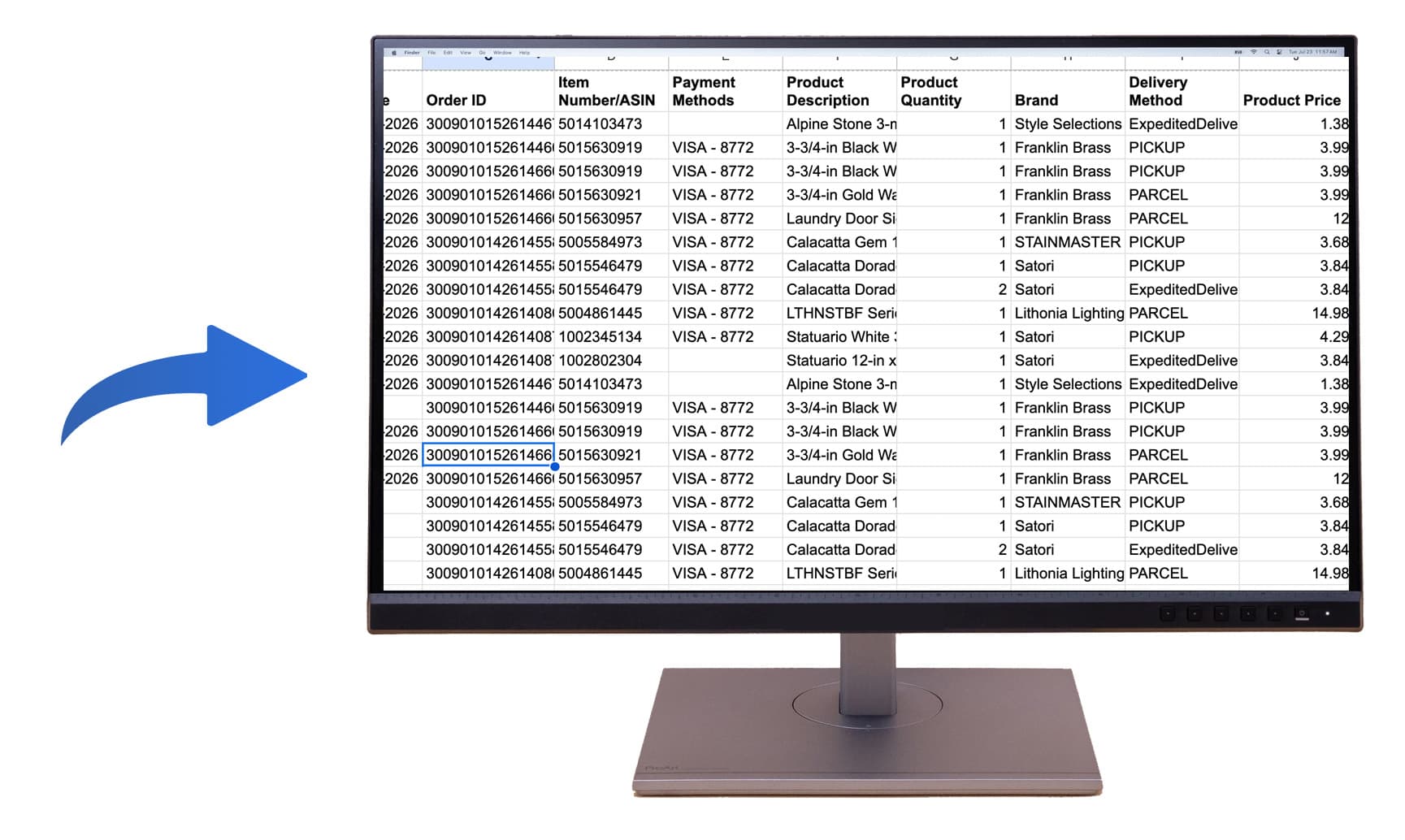
Exporting your purchase history is one of the fastest ways to stop a claim from turning into a blank-page exercise. A strong insurance claim inventory starts with item-level purchase history, then organizes those purchases into a room-by-room spreadsheet your adjuster can review quickly.
The export itself is only step one. The real win is turning store records into a clearer claim package with dates, descriptions, quantities, values, and room assignments in one place.
Direct answer: export item-level purchase history, keep claim-relevant columns, group the rows by room, and submit one organized spreadsheet instead of separate screenshots or receipts.
After a fire, theft, flood, or major damage event, most people do not struggle because they bought too little. They struggle because the proof is scattered across Amazon orders, retailer emails, archived receipts, and account dashboards. That is exactly why exported purchase history matters.
A better process is to build your inventory from the purchase trail you already have, then shape it into something the insurer can read. That is much easier than rebuilding every room from memory alone.
| Good export column | Why it matters |
|---|---|
| Item description | Helps identify what was actually lost |
| Purchase date | Supports age and depreciation discussions |
| Amount paid | Provides a defensible starting value |
| Room | Makes the loss easier for an adjuster to review |
| Order ID / receipt ref | Lets the insurer validate supporting proof faster |
If the export is the raw evidence, the room-by-room claim sheet is the presentation layer. It turns purchase history into a structure that is easier to understand during review.
See the dedicated insurance claim inventory workflow if you want the process built around room assignment, condition, and claim-ready export.
If you already have purchase history, the next step is not more screenshots. It is a cleaner room-by-room inventory your adjuster can review in one pass.
Start with item-level purchase history that includes purchase date, store, order number, item description, quantity, and amount paid. That gives you the backbone of a claim inventory.
Usually yes. Adjusters and public adjusters often review spreadsheets faster than screenshots because they can sort by room, date, item type, and value.
By room is usually more useful for claim review. Store-level exports help prove the purchases, but room-by-room grouping makes the loss easier to understand.
For many lower-value items, purchase history may be enough to start the claim record. For higher-value items, keep receipt links, invoices, or screenshots available as supporting proof.
Yes. A normalized spreadsheet that combines Amazon and other merchants into one structure is usually easier for the adjuster than separate exports from each store.